Reference»
Stack Settings»
- Manage state - If Spacelift handles the OpenTofu/Terraform state
- Use Run All - If Spacelift should use Terragrunt's run-all functionality in this stack.
-
Skip Replan - If enabled, the apply stage reuses the plan that was saved during the planning stage instead of generating a new plan. This can make deployments faster, and it applies to both Run All and regular Terragrunt stacks.
Warning
WARNING: this means any mocked_outputs referenced during planning will be applied as-is. Do not enable this together with mocked_outputs unless you fully understand the implications — your apply may execute against mocked values rather than real ones.
-
Smart Sanitization - If Spacelift should use Smart Sanitization for the resources and outputs generated by this stack.
- Prefix resource names with module path - If enabled, resource and output names are prefixed with the Terragrunt module path. Defaults to off for new stacks since non-run-all stacks process a single module and don't need prefixing. Stacks created before this option was introduced have it enabled for backward compatibility. When Use Run All is enabled, prefixing is always on to prevent naming collisions between modules, and this setting has no effect.
- Terragrunt Version - Which version or range of versions of Terragrunt should be used
- Tool - Whether to use OpenTofu, an open source version of Terraform, or a manually provisioned tool.
- Tool Version - Which version or range of versions of OpenTofu or Terraform should be used
Info
Spacelift makes use of the Version Compatibility Table to determine which version combinations of OpenTofu/Terraform and Terragrunt are compatible with each other.
State and Workspaces»
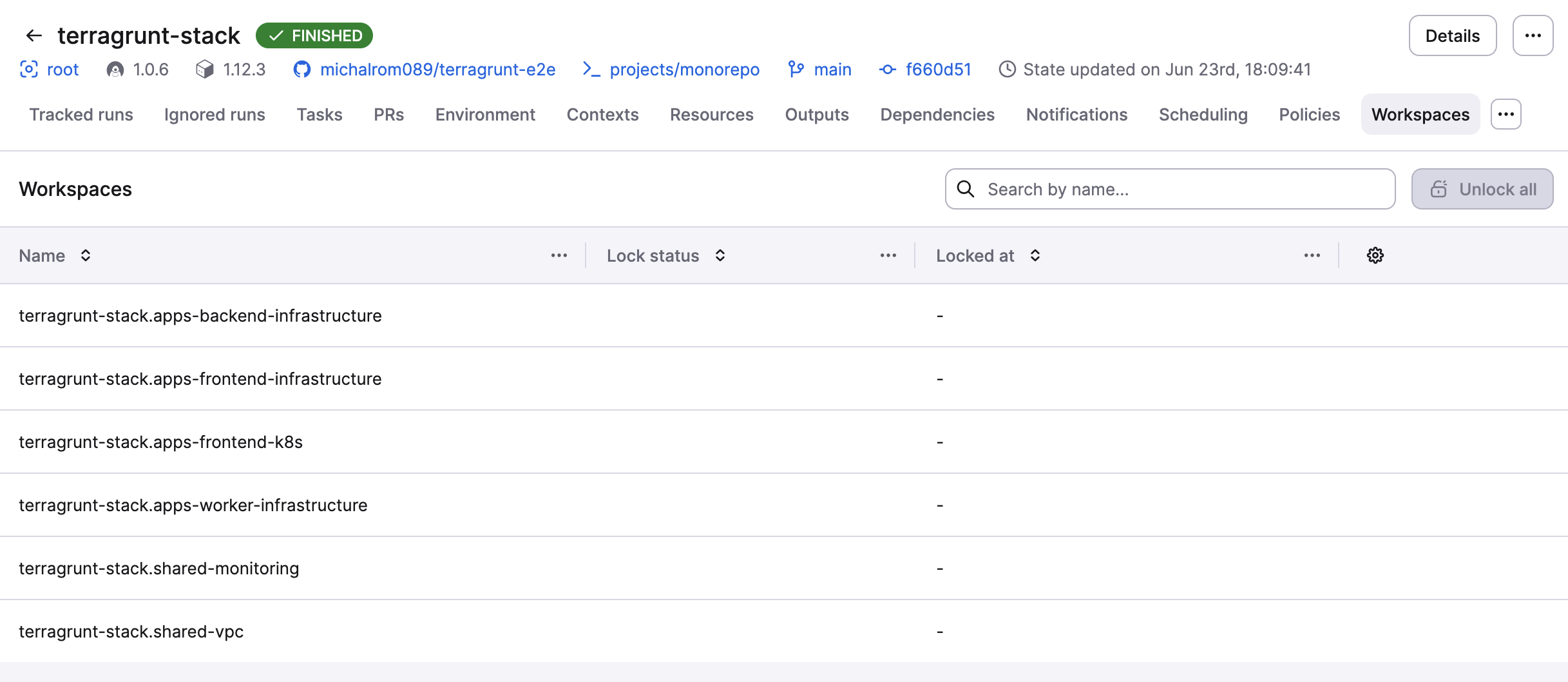
When Spacelift manages the state for a Terragrunt stack, it sets up a remote backend. The workspace name is made up of a base name and the unit's path within the stack. This means that the state of each unit is kept separately.
You can see all workspaces and their lock status on the Workspaces tab of your stack:
Tip
A workspace may remain locked if a run is stopped before completion. If this happens, open the 'Workspaces' tab, locate the locked workspace and unlock it. Alternatively, you can use the 'Unlock all' option to unlock every workspace at once.
Environment Variables»
In Terragrunt stacks you can use environment variables to add options to the command line arguments sent to Terragrunt. To use these environment variables, you can see the documentation here.
There is an environment variable for each phase of the run:
TG_CLI_ARGS_init- Allows you to add options sent to the Terragrunt application during the initialization phaseTG_CLI_ARGS_plan- Allows you to add options sent to the Terragrunt application during the planning phaseTG_CLI_ARGS_apply- Allows you to add options sent to the Terragrunt application during the applying phaseTG_CLI_ARGS_destroy- Allows you to add options sent to the Terragrunt application during the destroying phase
Terraform provider»
If you create a Terragrunt stack via the Terraform provider, and don't populate the terraform_version or terragrunt_version properties, we default to the latest version available at creation time. If you create a stack with these values populated, and then later remove the fields, the stack continues to use the version set during stack creation, and doesn't update to the latest available version.
If you change the tool and terraform_version isn't populated, the terraform_version will be reset in state file.
Starting from Terragrunt 0.89.0 and OpenTofu 1.10.0, provider caching is automatically enabled. The default cache path is /mnt/workspace/.terragrunt-provider-cache, inside the workspace directory, so it persists between init/plan/apply phases.
Module Registry»
To enable seamless authentication with Spacelift's module registry, we automatically configure the TG_TF_REGISTRY_TOKEN environment variable for stacks utilizing our native Terragrunt vendor.
Below is an example of how you can format your Terraform block:
1 2 3 | |