Execution and access control»
Access control»
Intent projects use Spacelift's Role-Based Access Control (RBAC) system to manage permissions. This allows you to control who can create, modify, and delete Intent projects, as well as who can operate on resources within them.
Managing Intent projects»
By default, Space Admins have full access to manage Intent projects within their spaces. However, you can create more granular permissions using custom roles with specific Intent project actions. Intent specific actions can be found under the Intent category in the role creation page.
Worker pool and runner image»
By default, Intent operations execute on the account's default worker pool (the Spacelift-hosted public worker pool on SaaS) using the system default Intent worker image. For stricter network isolation or custom tooling you can override both per project.
Custom worker pool»
Attach a private worker pool to an Intent project so all subsequent operations run on workers you control. Visible worker pools follow the project's space inheritance.
You can manage worker pool assignment through MCP, the Spacelift GraphQL API (intentProjectAttachWorkerPool, intentProjectDetachWorkerPool, or the workerPool argument on intentProjectCreate / intentProjectUpdate), or the Spacelift UI on the Intent project page.
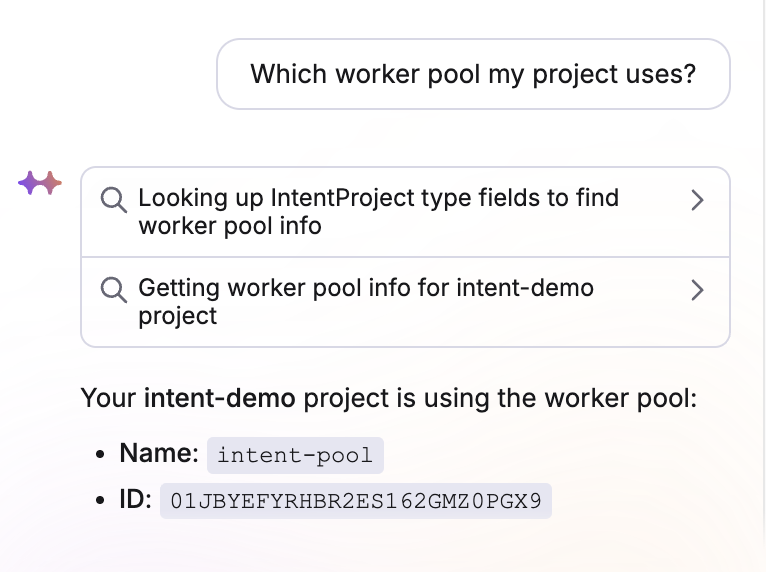
Through your MCP client you can drive it via natural language, for example:
1 2 | |
Per-project runner image»
You can also point a project at a custom Intent worker image, which is useful when you need extra binaries or vetted base images. Set the runnerImage field on intentProjectCreate or intentProjectUpdate (leave it empty to fall back to the system default). The launcher picks up the image for every subsequent execution on that project.