Run promotion»
Proposed runs only display changes to be made, while tracked runs apply (deploy) the proposed changes.
Promoting a proposed run is triggering a tracked run for the same Git commit.
Prerequisites»
- The proposed run must point to a commit that is newer than the stack's current commit.
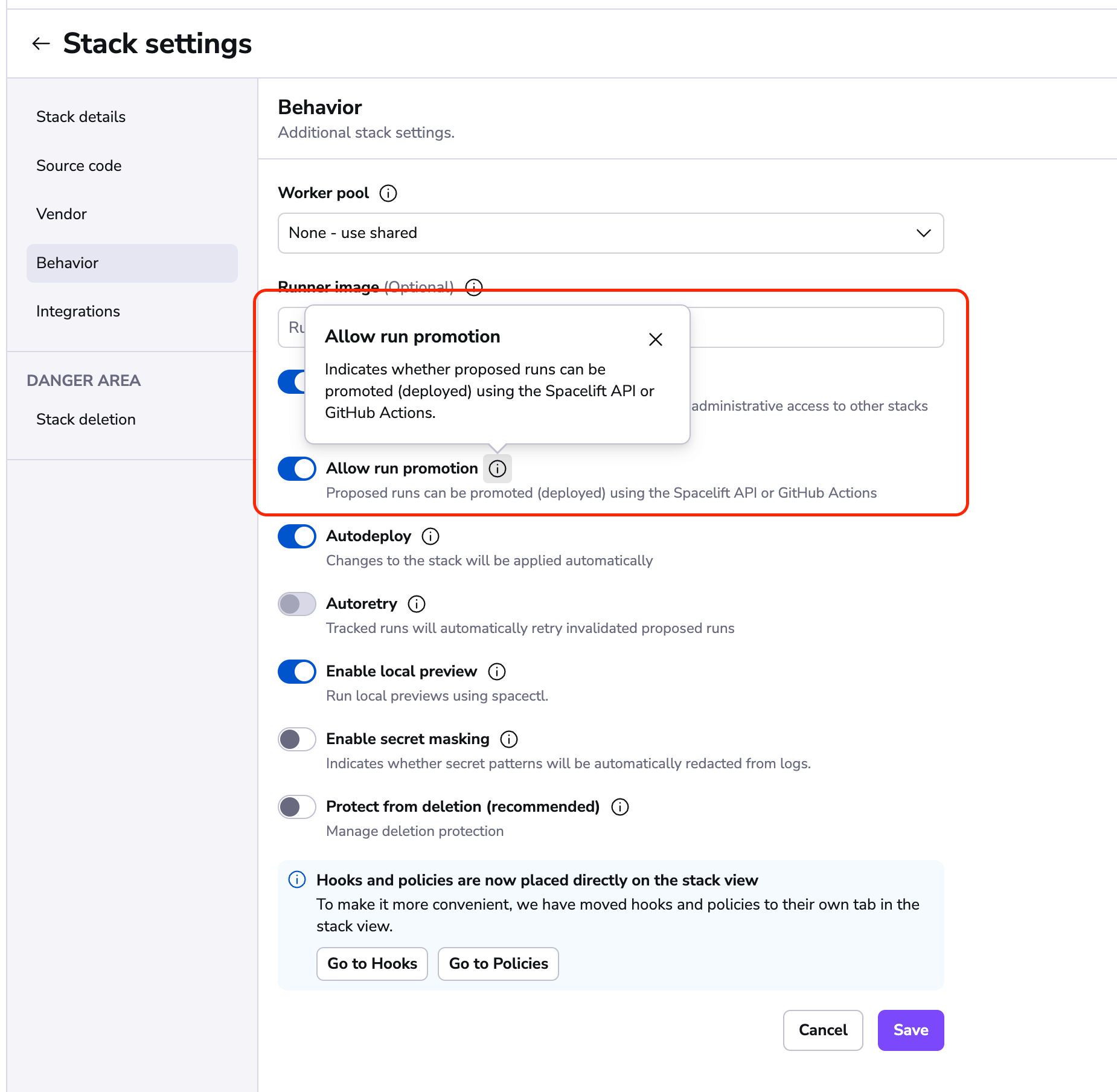
- Allow run promotion is enabled in the stack settings of the stack(s) in which you'd like to promote runs.
- User has the
promote runrole.
Enabling run promotion»
- Navigate to Ship Infra > Stacks.
- Click the three dots beside the stack and select Settings.
- Click Behavior.
- Enable the Allow run promotion slider.
Promote from proposed run view»
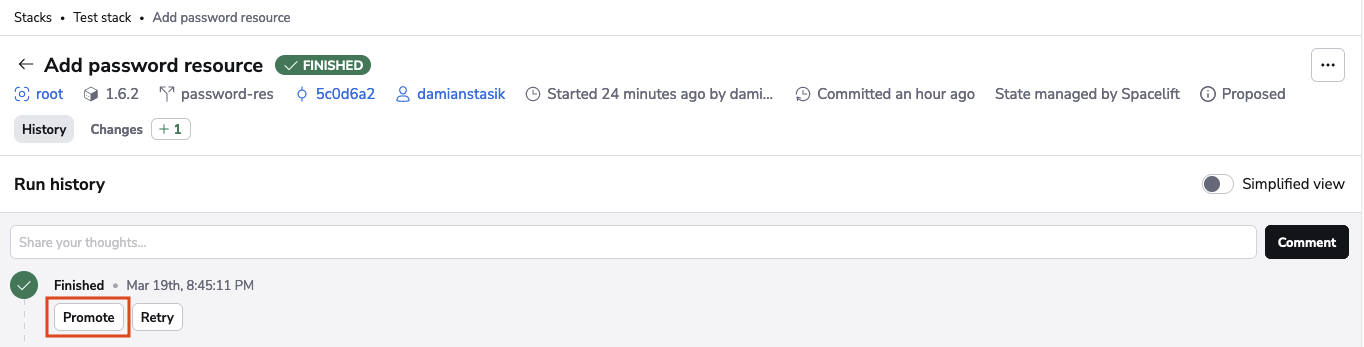
Assuming all prerequisites are met, you will see a Promote button on a proposed run. Click it to promote the proposed run into a tracked run.
Promote from a pull request»
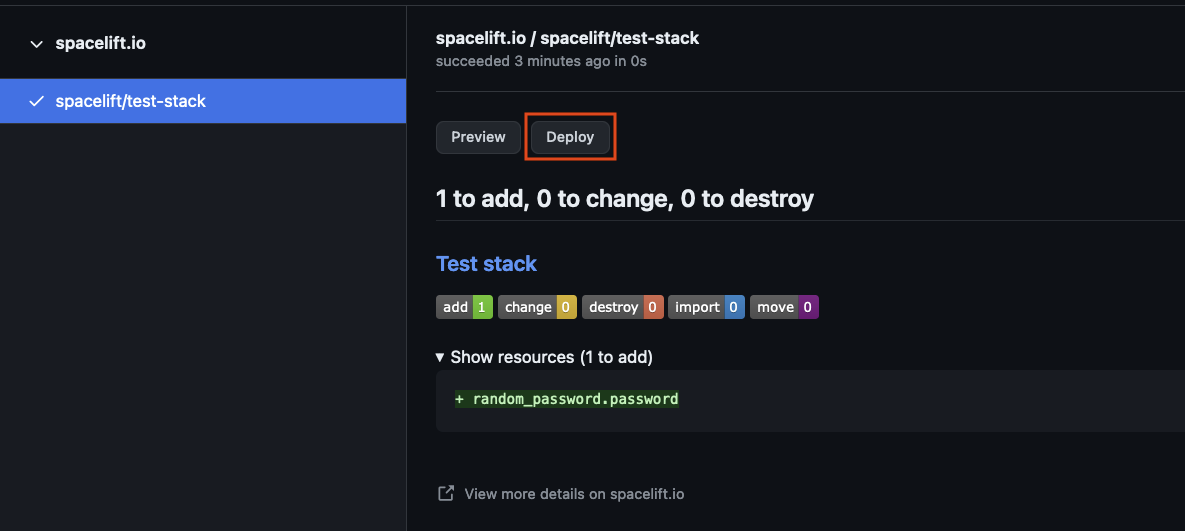
For Spacelift users using GitHub, a similar feature is available directly from the GitHub pull request. Assuming the prerequisites are met, you will see a Deploy button within the Checks tab of the pull request. This button will promote your proposed run into a tracked run.