Getting started with Spacelift Deploy»
With the introduction of Spacelift Flows, the solution known as, simply, "Spacelift" has been renamed Spacelift Deploy. Self-hosted installs retain the "Spacelift" name; they are used interchangably in the documentation for now.
Spacelift Deploy blends a regular CI's versatility with the methodological rigor of a specialized, security-conscious infrastructure tool.
In this guide we will briefly introduce some key concepts that you need to know to work with Spacelift Deploy. If you're ready to learn hands-on how Deploy works, try Spacelift Learn.
Main concepts»
- Stacks: Deploy's central entity that connects to your source control repository and manages the state of infrastructure. Stacks also facilitate integration with cloud providers (AWS, Azure, Google Cloud) and other important Deploy components.
- State management: Infrastructure states can be managed by your backend, or (for OpenTofu/Terraform projects) imported into Deploy. You are not required to manage your state with Deploy.
- Worker pools: The underlying compute used by Deploy is called a worker, managed in groups known as worker pools. You need to provision at least one worker pool to use Deploy. Deploy provides public (managed by Deploy) and private (hosted by you) worker pools.
- Policies: Policies provide a way to express rules as code to manage your IaC environment, and help make common decisions for login, access, and execution. Policies are based on the Open Policy Agent project and can be defined using its rule language Rego.
- Cloud integration: Deploy provides native integration with AWS, Azure, and Google Cloud (GCP). Integration with other cloud providers is also possible via OIDC Federation or programmatic connection with their identity services.
- VCS change workflow: Deploy evaluates your version control system's (VCS's) pull requests (PRs) to provide a preview of changes being made to your infrastructure. These changes are deployed automatically when PRs are merged.
Create your Spacelift Deploy account»
- In the top-right of the Spacelift home page, click Free trial.
- Select the region (Europe or United States) where your data will be hosted.
-
Create your Spacelift Deploy account by signing in with your GitHub, GitLab, Google, or Microsoft account.
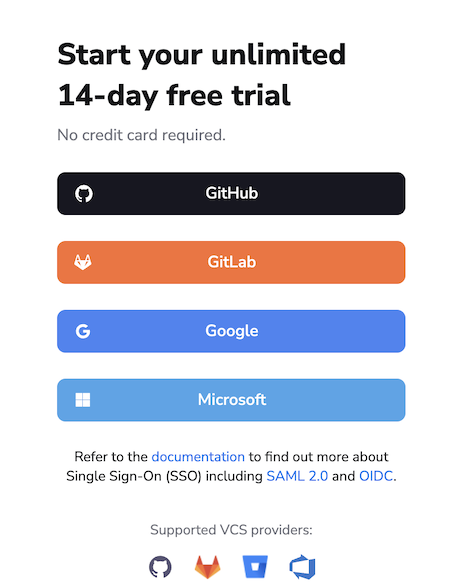
- GitHub: The selected GitHub organization or account name will be your Spacelift Deploy account name.
- Microsoft: You may need to provide admin approval to log in.
Welcome to the LaunchPad»
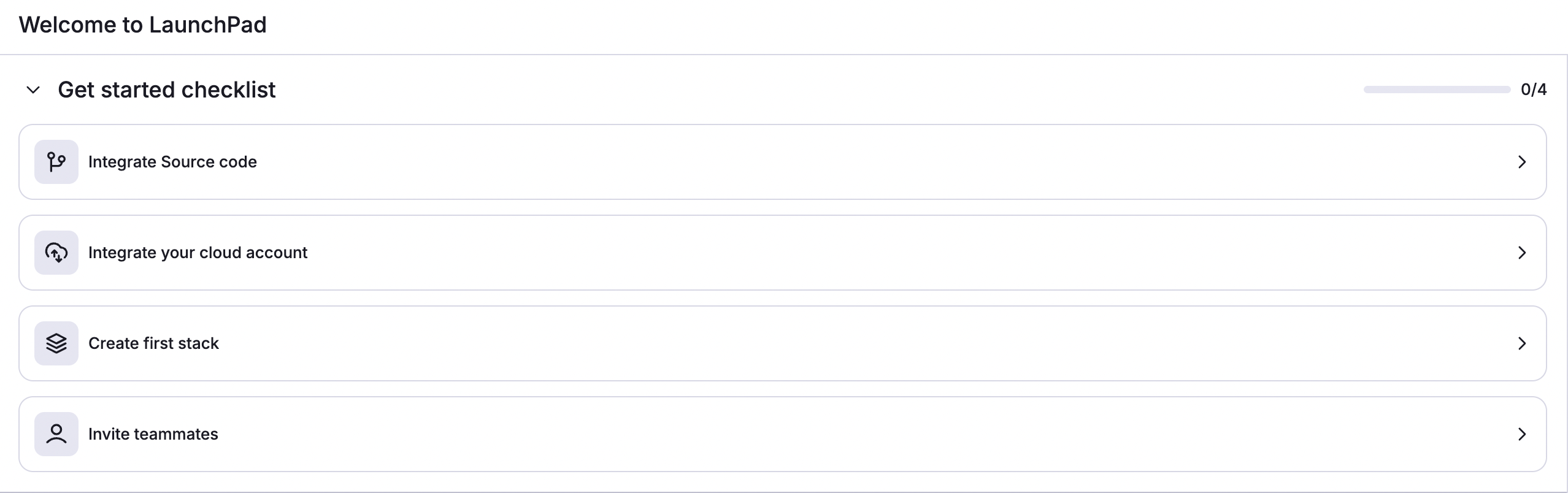
Once you log in to your Spacelift Deploy account, you will be brought to the LaunchPad tab to configure your environment. The LaunchPad contains four sections:
- Learn: Contains several missions where you can go through guided lessons on how to set up and use Deploy.
- Knowledge base: Contains small chunks of the documentation around specific topics and links to this documentation site.
- Watch videos: Contains several short videos covering small topics about Spacelift Deploy and setting up your infrastructure.
- FAQ: Contains a list of common questions about Deploy and IaC, and their answers.
Learn»
Spacelift Deploy's Learn feature helps users gain hands-on experience in setting up, configuring, and using Deploy.
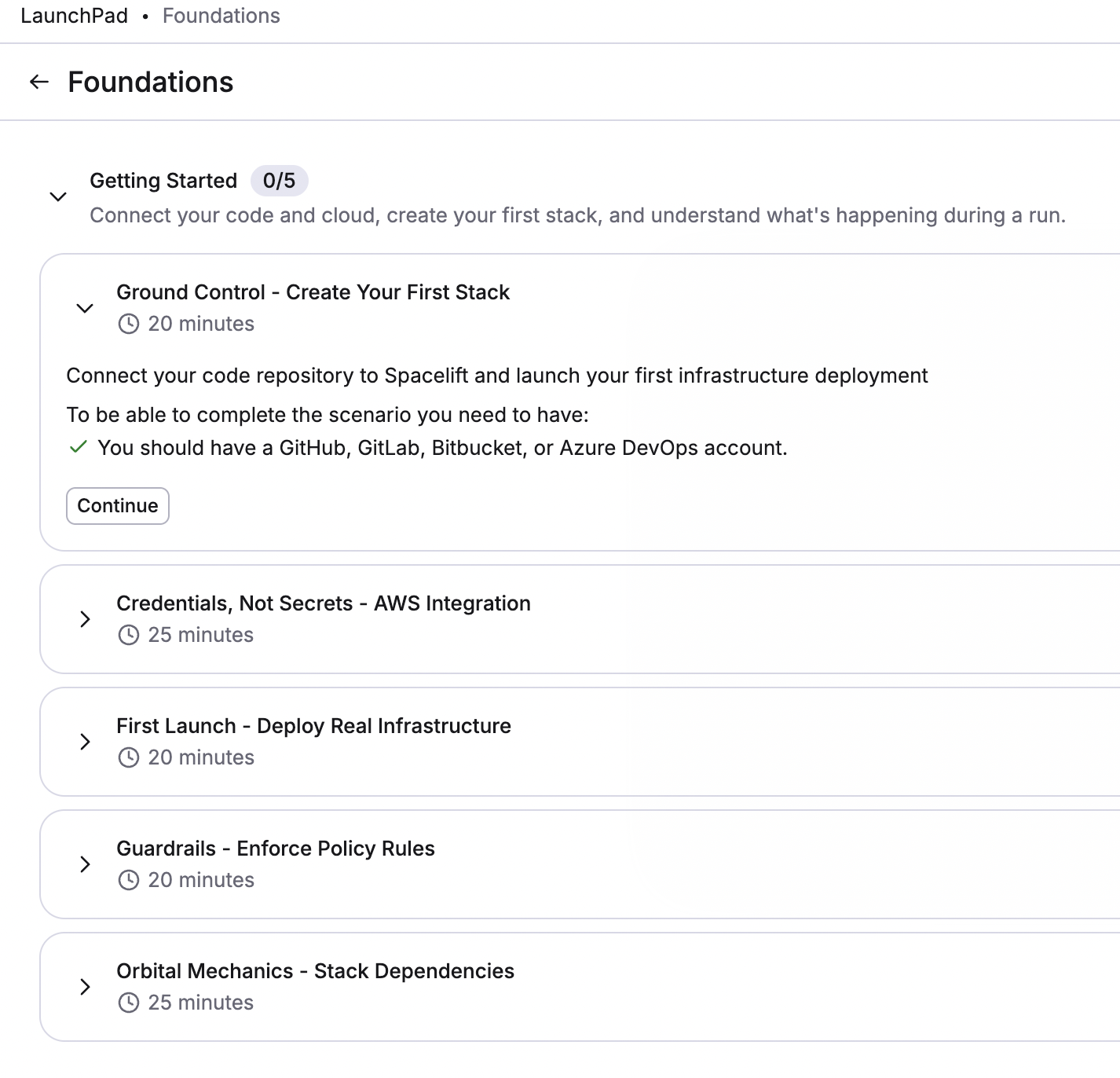
Each Learn section is broken down as follows:
flowchart TD;
    A(Mission) --> B(Chapter 1)
    A --> C(Chapter 2)
    B --> D(Objective 1)
    B --> E(Objective 2)
    D --> I(Step 1)
    D --> J(Step 2)
D --> M(Step 3)- Missions: The top-level section and what you'll see on the LaunchPad, e.g. Foundations. These encompass missions to guide you through the learning process.
- Chapters: When you click on a mission, you'll see a list of one or more chapters, e.g. Getting Started.
- Objectives: When you click on a chapter, you'll see a list of one or more objectives, e.g. Ground Control - Create Your First Stack.
- Objective steps: Each objective includes several steps for you to perform within Spacelift Deploy, such as integrating your source code provider or cloud account.
When you start a mission, the Learn panel will remain to the right of the Deploy navigation panel.
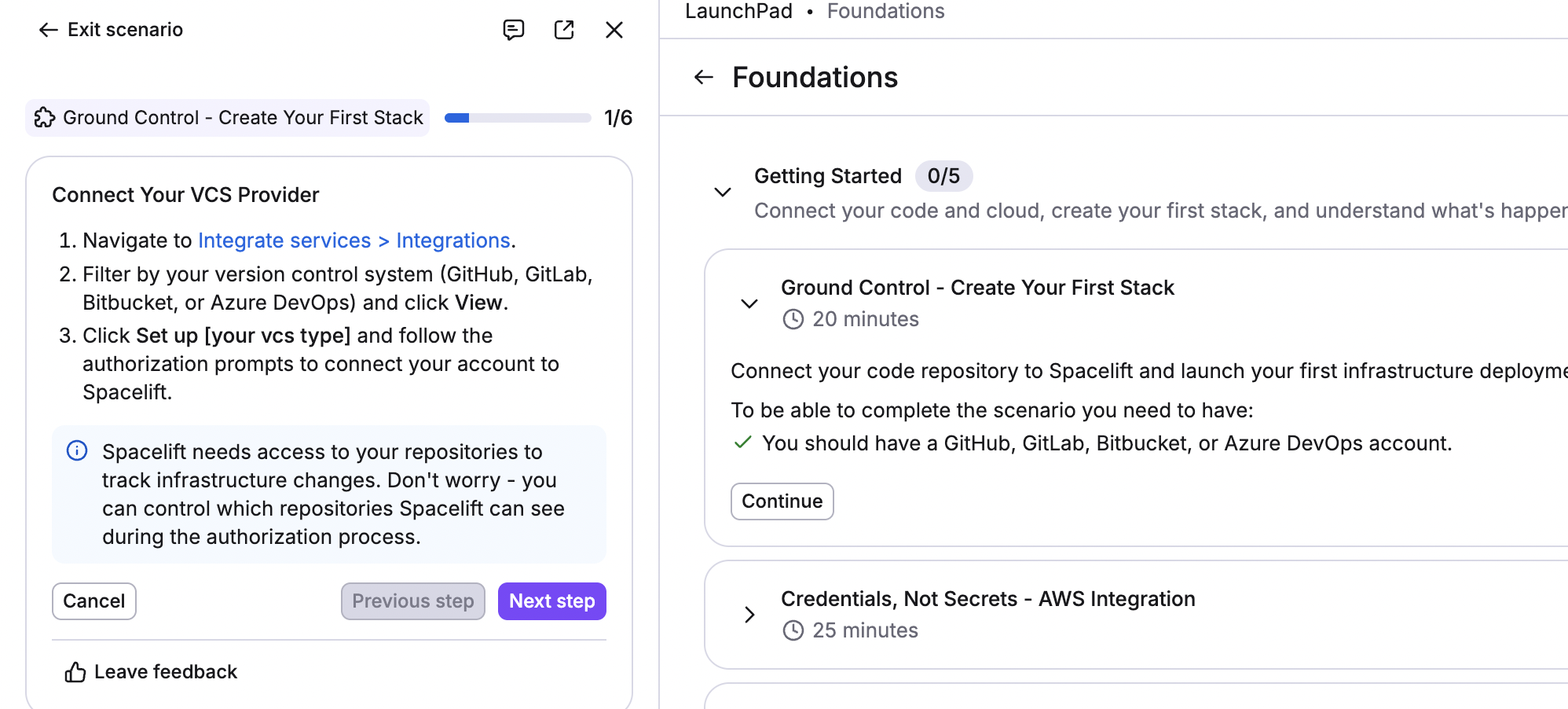
You can unpin it to have the objectives and objective steps in a floating panel anywhere on your screen.
Click Switch to AI chat at the top of the Learn panel to interact with Infra Assist, an AI-powered natural language chat that can answer your questions about infrastructure and how to accomplish tasks in Deploy.
In the AI chat, click Switch to Learn mode at the top of the panel to return to your objective.
Available missions»
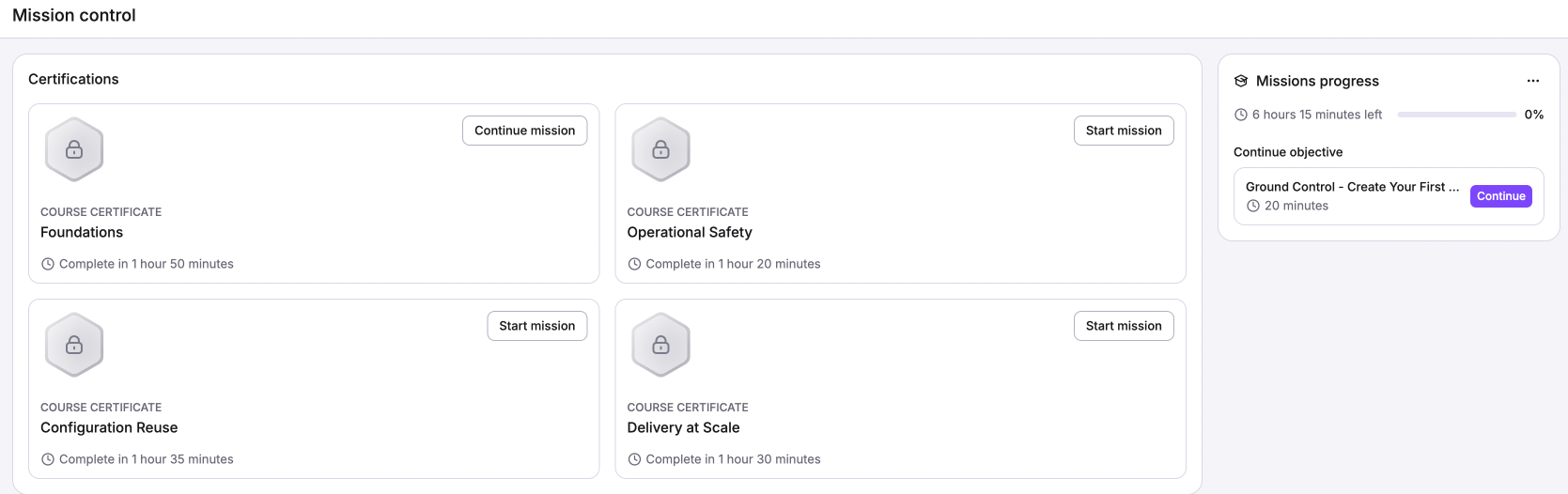
- Foundations: Learn how to create a stack, set up an AWS integration, deploy infrastructure, create and enforce policies, and configure stack dependencies.
- Getting started
- Ground Control - Create Your First Stack
- Credentials, Not Secrets - AWS Integration
- First Launch - Deploy Real Infrastructure
- Guardrails - Enforce Policy Rules
- Orbital Mechanics - Stack Dependencies
- Getting started
- Operational safety: Learn how to set up policies (such as plan and approval), configure notifications, and set up webhooks.
- Policies and Notifications
- Launchpad - Quick Start
- No Untagged Buckets - Plan Policies
- Four Eyes - Approval Policies
- Mission Control Knows - Notifications
- Phone Home - Webhooks
- Policies and Notifications
- Configuration reuse: Learn how to create reusable configurations with contexts, labels, autoattachment, and space inheritance.
- Reusable configuration
- Launchpad - Quick Start
- Inline Configuration
- Extract and Reuse with Contexts
- Labels and Autoattachment
- Space Inheritance - Config Flows Downhill
- One Mechanism, Many Components
- Reusable configuration
- Delivery at Scale: Learn how to configure stack dependencies, pass data, set up your orchestration workflow, and go from staging to production.
- Stack Orchestration
- Launchpad - Quick Start
- One Leads, One Follows - Stack Dependencies
- Pass the Data - Output to Input Wiring
- Wait, Skip, Proceed - Smart Orchestration
- The Promotion Gate - Staging to Production
- Stack Orchestration
Certificates»
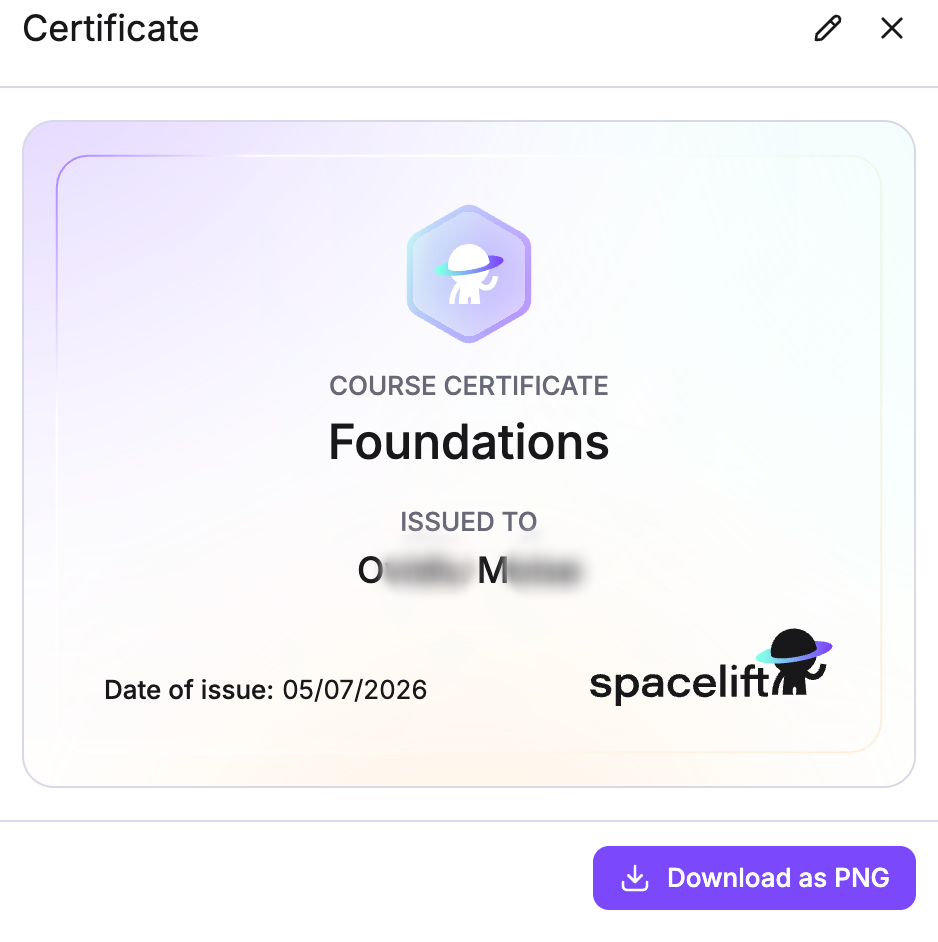
Deploy offers in-app certificates of completion for each Learn mission, listed to the right of the missions in the Learn section.
To download your certificate:
- When you complete a mission, click Unlock on the tile for that mission's certificate.
- Enter your full name in the text box, then click Generate.
- Click Download as PNG to save your certificate (which includes the mission name, your name, and the date of issue).
Mission control»
You can also access your certificates and training missions by hovering over your name in the bottom-left corner and clicking Mission control.
Viewing team certification progress»
You can view your team's progress with the four different Spacelift Learn missions and their certificates in the Track tab of the LaunchPad.
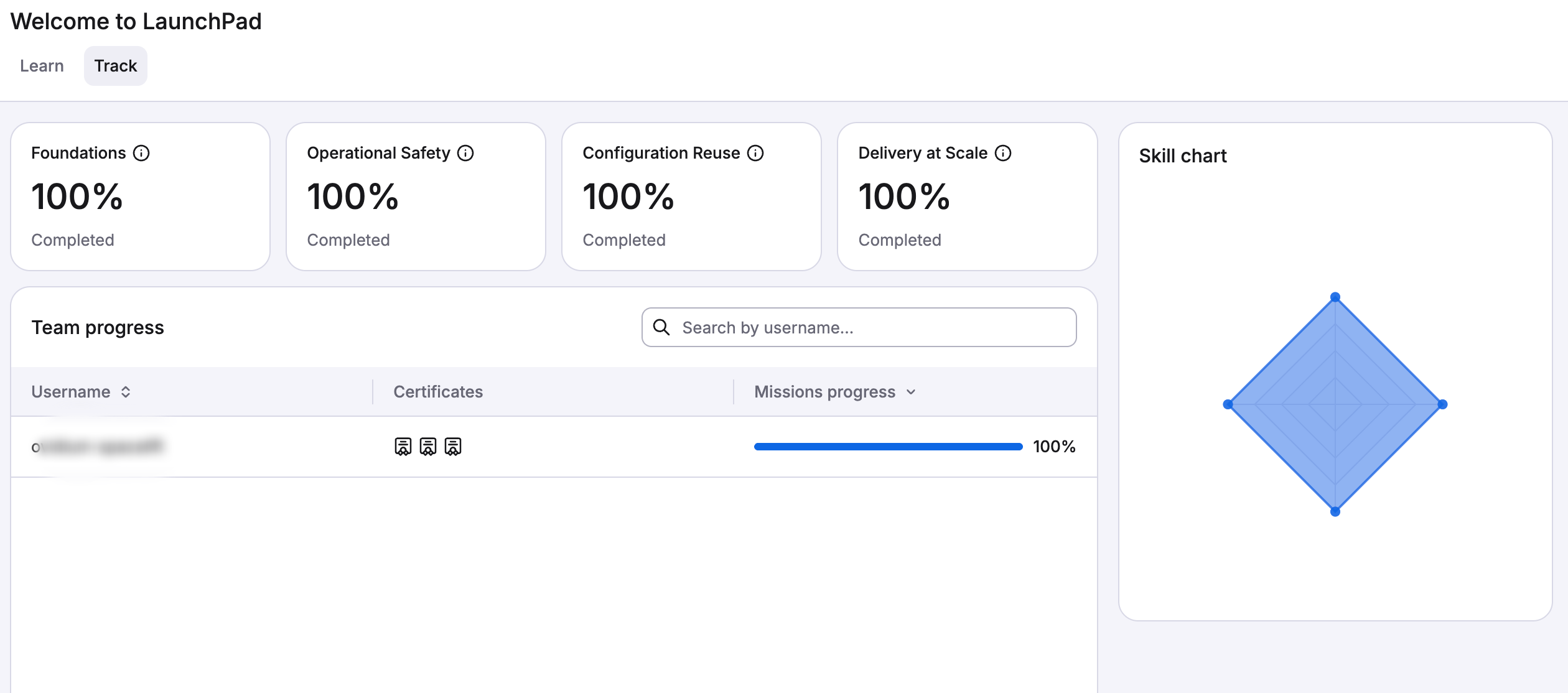
Each team member will have their own line in the list on the left. The completion percentages and skills chart will update automatically based on the missions your team completes.