Task»
Info
This feature is only available to paid Spacelift accounts. Please check out our pricing page for more information.
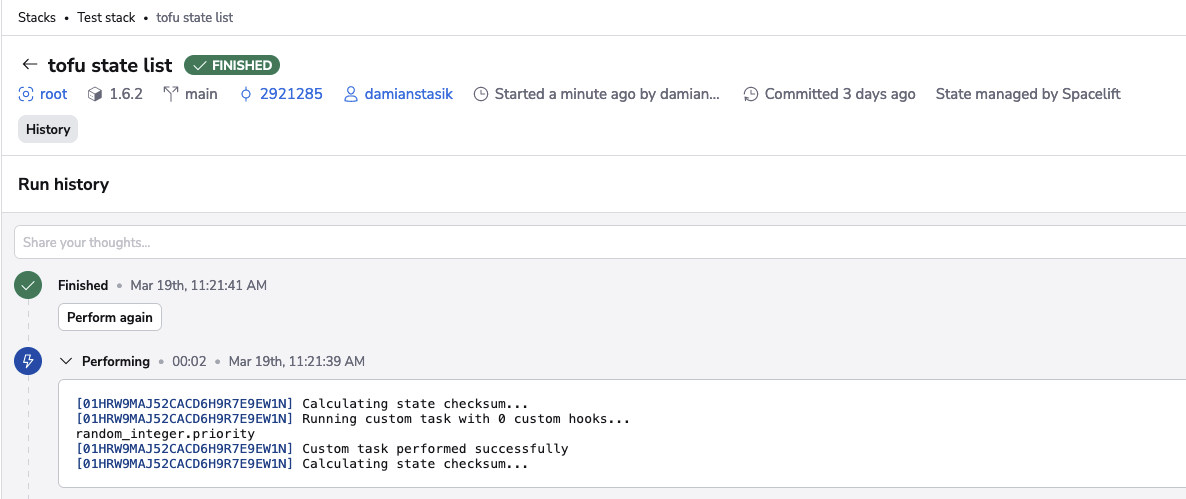
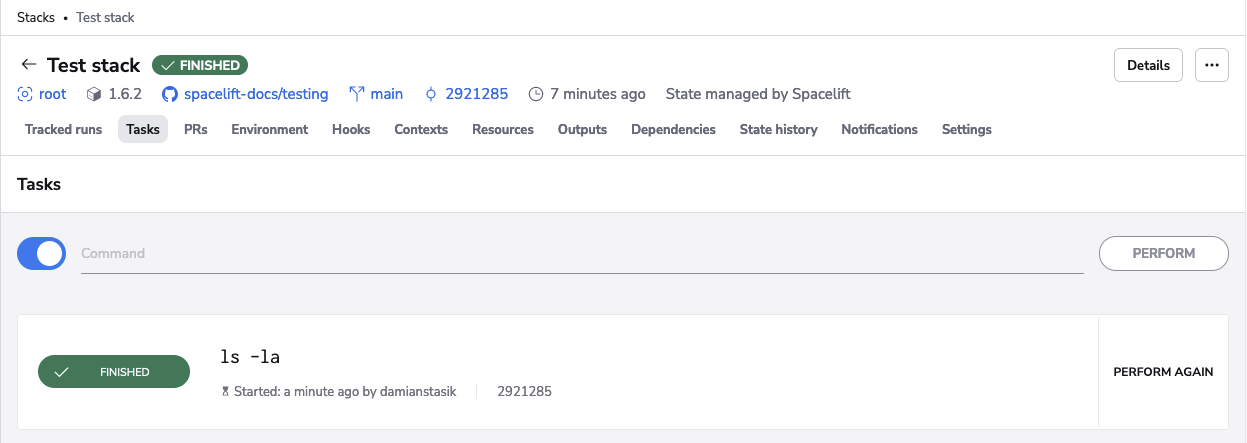
While tasks have a separate screen in the Spacelift UI, they are a type of run. The core difference is that after the initialization phase, a task will run your custom command instead of a string of preordained vendor-specific commands.
Why use tasks?»
Tasks perform arbitrary changes to your infrastructure in a coordinated, safe, and audited way. Tasks allow ultimate flexibility and can be used to:
- Check the environment (such as with
ls -la). - Perform benign read-only operations like showing parts of the Terraform state.
- Make changes to the state itself like tainting a resource.
- And whatever else you might need to do.
The Docker integration gives you full control over the execution environment of your workloads.
Prevent concurrent state changes»
Tasks are always treated as operations that may change the underlying state, and are thus serialized. No two tasks will ever run simultaneously, nor will a task execute while a tracked run is in progress. This prevents concurrent updates to the state that would be possible without a centrally managed mutex.
Some tasks will be more sensitive than others. While ls will likely work out fine, the two-way state migration described above could go wrong in many different ways. The stack locking mechanism allows taking exclusive control over one or more stacks by a single individual, enabling even stronger coordination.
Safeguard sensitive data»
Any non-trivial infrastructure project will likely include credentials and secrets, some of which might be too sensitive to store on a work laptop. Tasks allow any operation to be executed remotely, preventing the leak of sensitive data.
Spacelift's integration with infrastructure providers like AWS also allows authentication without any credentials, which further protects you from leaking secrets or credentials in something like the env command. Here's an example of what Spacelift displays when running the env command:
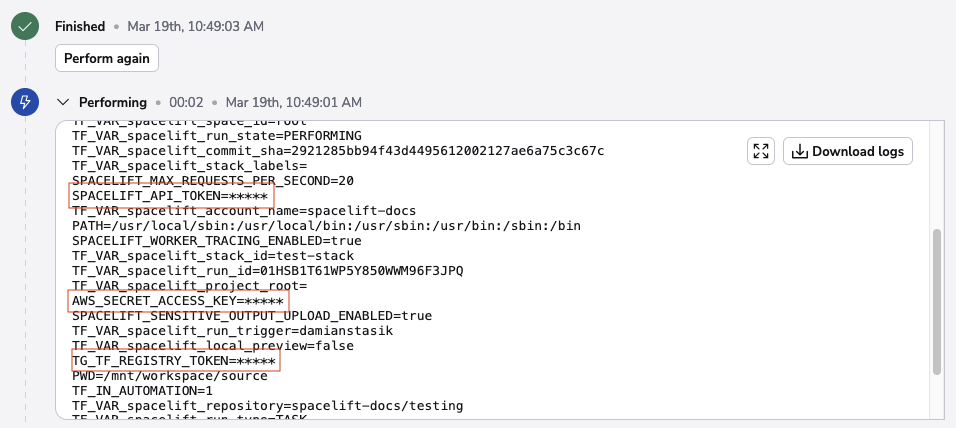
The secrets are masked in the output.
Warning
The security of your infrastructure and stacks depends on you. Use task policies to prevent certain (or even all) tasks from being executed.
Audit with task records»
Tasks are recorded for eternity, so you can easily see what's happened and when. Tasks are attributed to the individuals (or API keys) that triggered them and the access model ensures that only stack writers can trigger tasks, giving you even more control over your infrastructure.
Performing a task»
Aside from the common run states, tasks have one extra state: performing. When a task is performing, the user-supplied command is executed, wrapped in sh -c so you can use as many && and || as you wish.
A task will transition to the finished state if the exit code of your command is 0 (the Unix standard). Otherwise, the task is marked as failed. Performing cannot be stopped since Spacelift assumes the task involves state changes.
Tip
Tasks are not interactive so you may need to add the -force argument to the command.
Skipping initialization»
In rare cases, you may want to perform tasks without initialization, such as when the initialization would fail without some changes being introduced. One example is OpenTofu/Terraform version migrations, which are served by explicitly skipping the initialization. In the GUI (on by default), you will find the toggle to control this behavior:

Here's an example of executing a task without initialization on an OpenTofu stack:
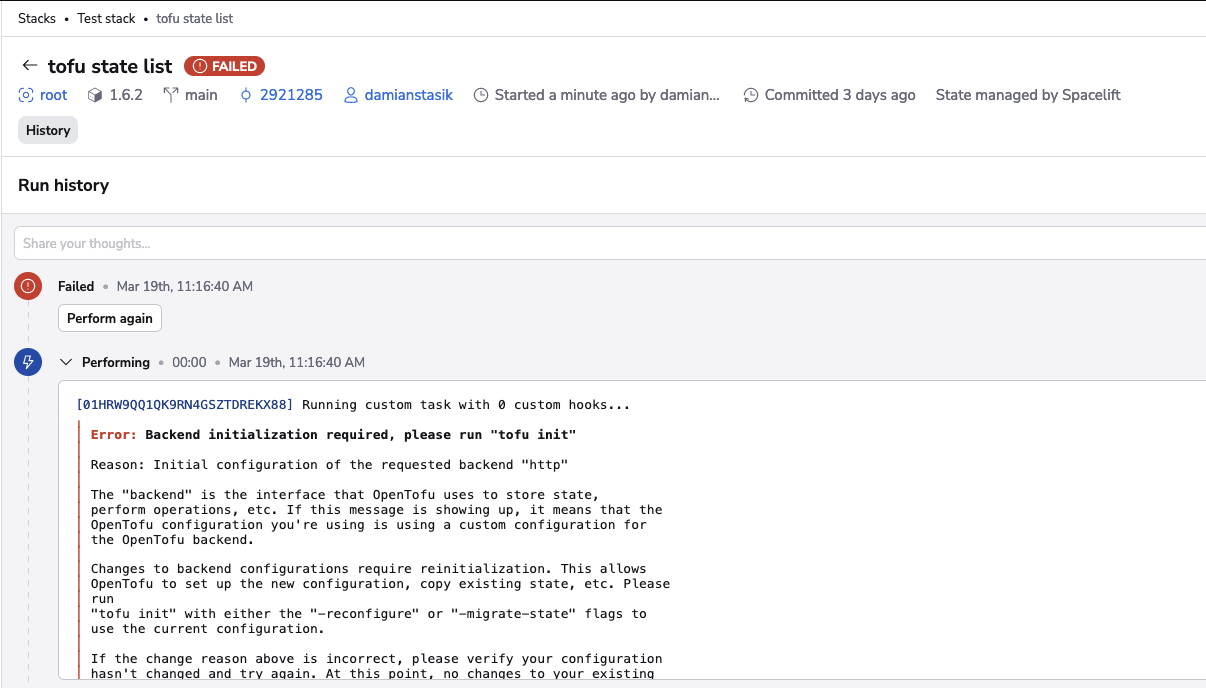
The operation failed because it is expected to be executed on an initialized OpenTofu workspace. The same operation would succeed if we were to run it in the default mode, with initialization: