AI Integrations»
AI integrations connect Infra Assistant features to LLM providers. Both Infra Assistant and Intent use them to power AI-driven infrastructure management.
You can either use the Spacelift-provided integration or bring your own.
Spacelift-provided»
Every Spacelift account comes with a default AI integration managed by Spacelift. It works out of the box once Spacelift Intelligence is enabled and requires no configuration.
- Provider: AWS Bedrock (Anthropic)
- Available models: Claude Sonnet 4.6, Claude Opus 4.6
- API key: Not required, managed by Spacelift
- Token budget: Depends on your plan tier. See Token budget for details.
This integration appears as Spacelift default in the Infra Assistant model selector.
Bring Your Own Model (BYOM)»
You can configure your own AI provider integrations to use your preferred LLM provider and model with your own API keys.
Supported providers and models»
| Provider | Models |
|---|---|
| Anthropic | Claude Opus 4.6, Claude Sonnet 4.6, Claude Haiku 4.5 |
| OpenAI | GPT-5.2, GPT-5.2 Pro, GPT-5.1 Codex |
| Gemini 2.5 Pro, Gemini 2.5 Flash, Gemini 3 Pro Preview, Gemini 3 Flash Preview | |
| AWS Bedrock | Claude models served through your own AWS Bedrock inference profile |
Note
BYOM integrations are billed directly by your provider. Spacelift does not impose any token limits on them.
API keys are encrypted at rest. Each integration is scoped to a Space, which controls which users can access it. You can create multiple integrations for different providers, teams, or environments.
Managing integrations»
Go to Settings > Integrations > AI to manage your AI integrations.
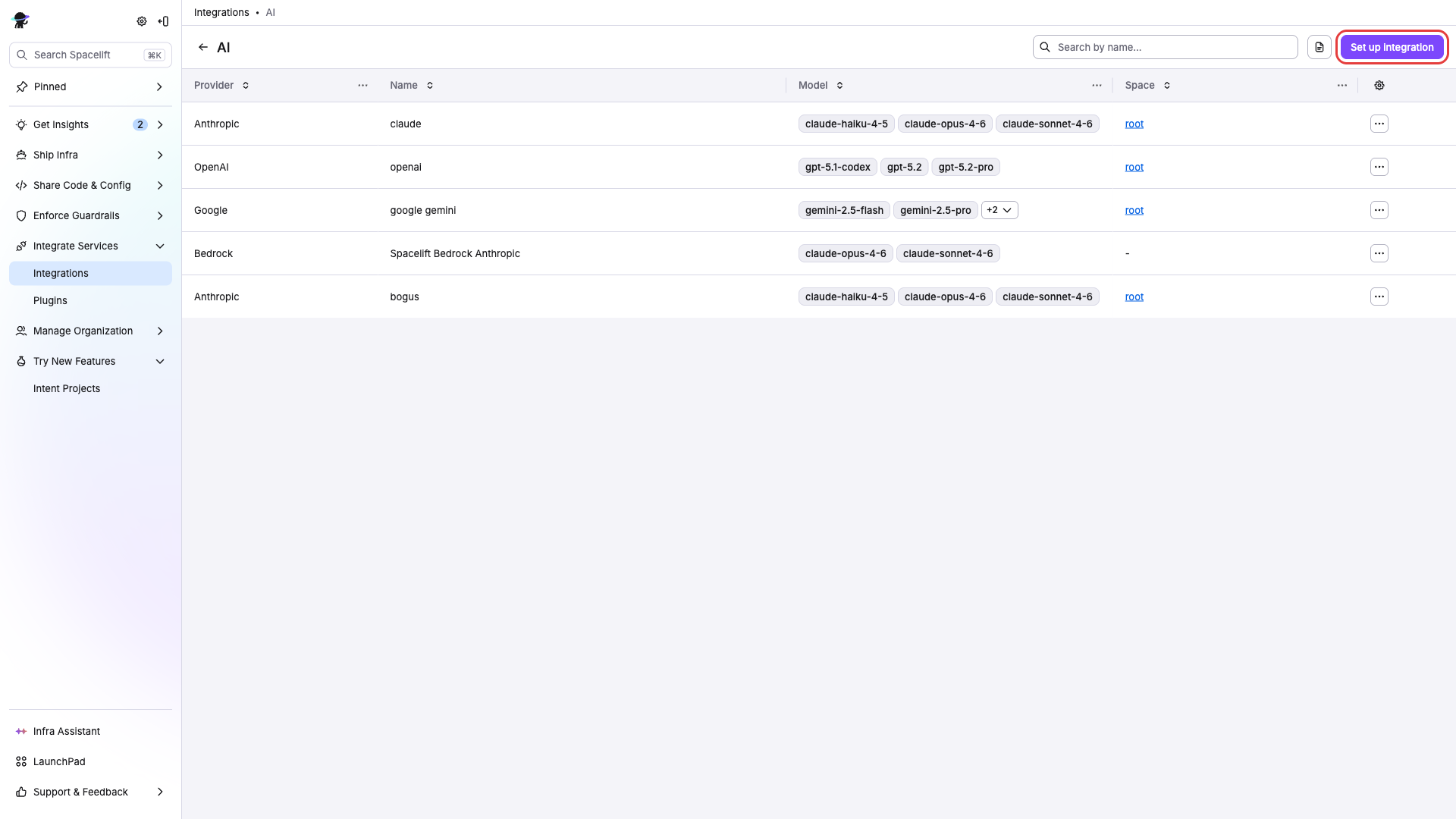
Creating an integration»
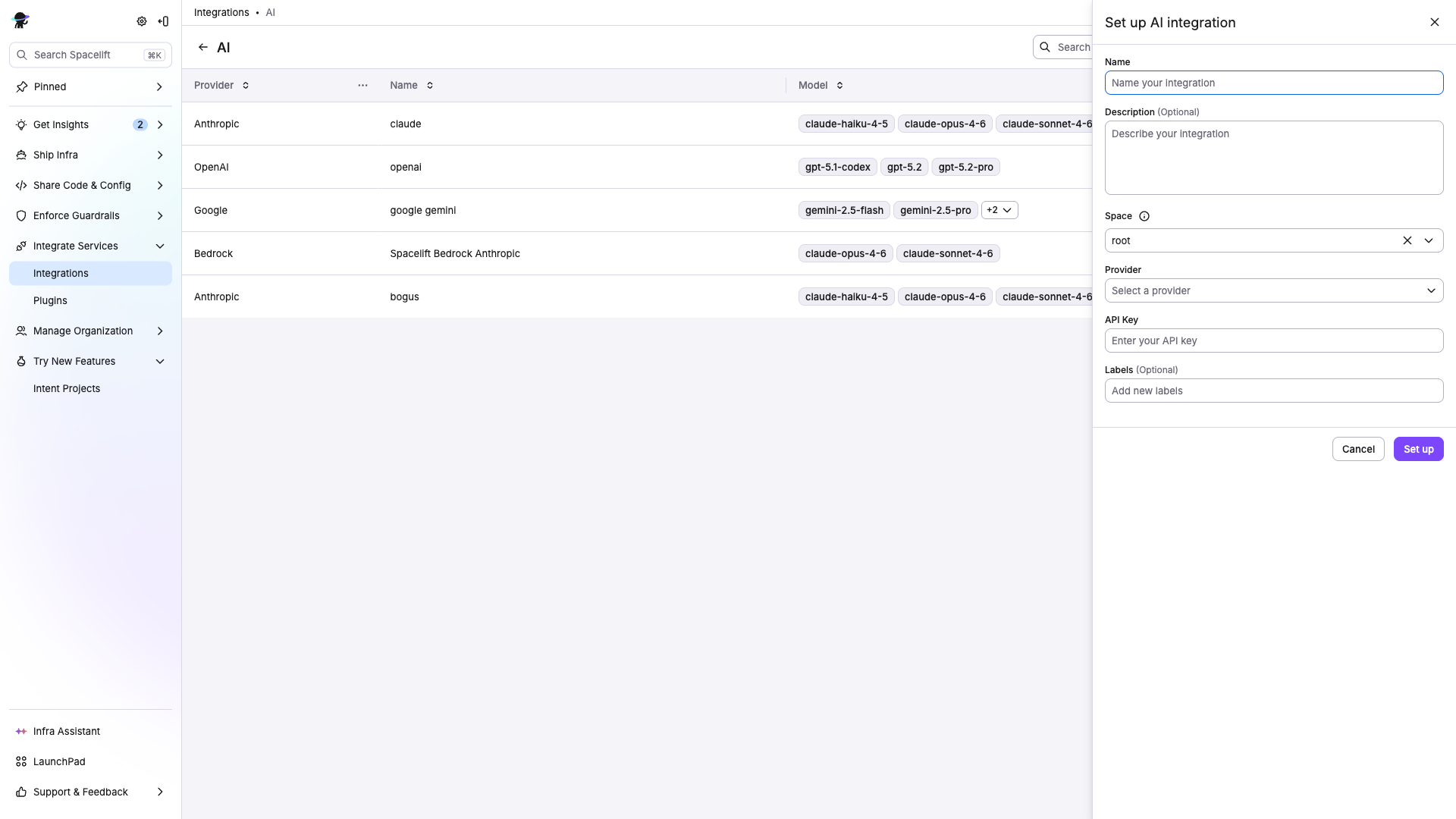
- Click Set up integration.
- Enter a Name for the integration.
- Optionally add a Description.
- Select a Space to scope the integration to.
- Select a Provider (Anthropic, OpenAI, Google, or AWS Bedrock).
- Provide credentials for the selected provider:
- Anthropic / OpenAI / Google: paste your API key from the provider.
- AWS Bedrock: provide your AWS access key, secret, region, and the inference profile ARN to use. Spacelift validates the profile at save time.
- Optionally add Labels for organization.
- Click Set up.
Tip
You can find API keys from your provider's dashboard:
Editing an integration»
Open an integration from the list to update its name, description, labels, API key, or space assignment.
Deleting an integration»
Select Delete from the actions menu. Conversations that were using the deleted integration will need a new integration selected to continue.
Selecting an integration in Infra Assistant»
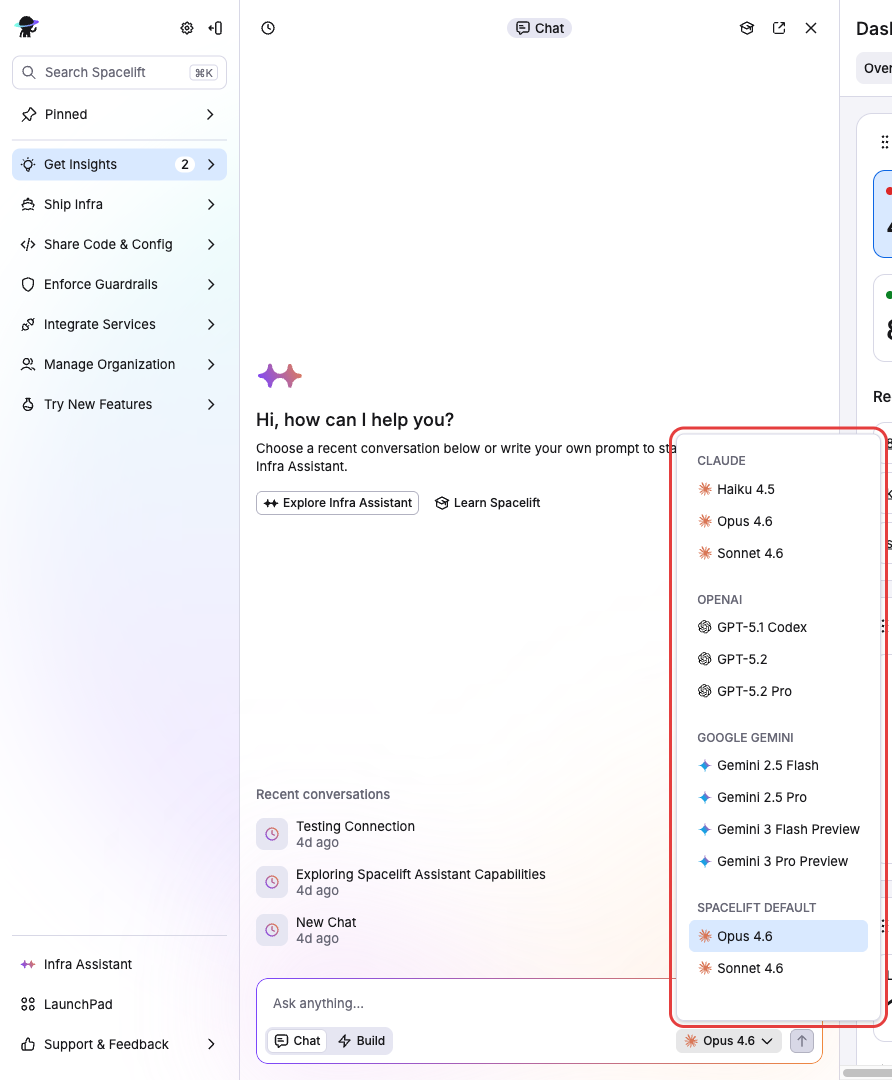
In the Infra Assistant chat header, use the model selector dropdown to pick which integration and model to use.
The dropdown shows Spacelift default (the Spacelift-provided Bedrock integration) along with any BYOM integrations you have access to through your Space membership.
You can switch integrations at any time during a conversation. When switching between providers, the conversation history is automatically adapted for compatibility with the new model.
For details on data handling and provider responsibilities, see the AI Terms of Use.