Secrets
Secrets provide secure storage for sensitive data such as API tokens, credentials, and signing keys. Each project includes a dedicated Secrets section where you can store and reference confidential information without exposing it directly in flow configurations.
Overview»
Secrets are stored at the project level and can be referenced in:
- App installation configurations
- Block configuration expressions
- Any JavaScript expression within your flows
Once stored, secrets are never exposed in plain text within the flow editor or logs. They are securely injected at runtime when referenced.
Managing Secrets»
Creating a Secret»
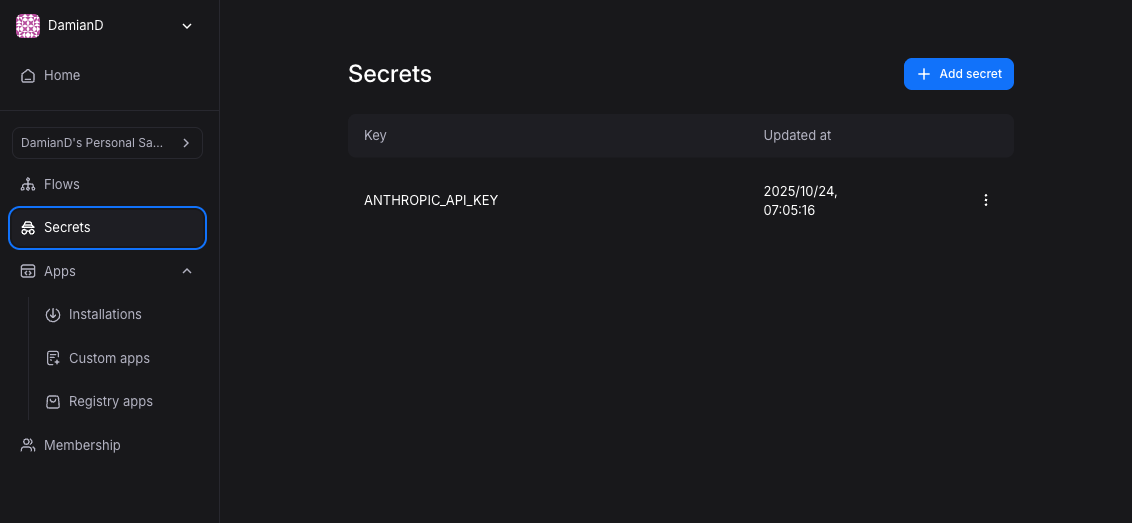
To create a new secret:
- Navigate to your project
- Click the Secrets tab in the left sidebar
- Click Add secret in the top-right corner
- Enter a key (e.g.,
ANTHROPIC_API_KEY,DEMO_BOT_SLACK_BOT_TOKEN) - Enter the secret value
- Click Save
Referencing Secrets»
Secrets are referenced using the secrets object within JavaScript expressions. The syntax follows this pattern:
1 | |
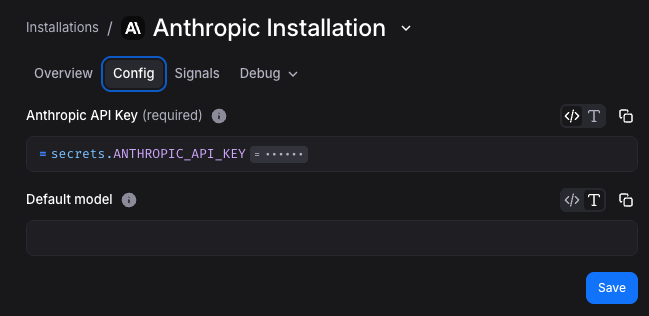
In App Installation Configurations»
When configuring an app installation, reference secrets directly in configuration fields:
1 2 | |
In Block Configuration Expressions»
Secrets can be referenced in any block configuration expression:
1 2 3 4 5 6 7 | |
Security Considerations»
Secret Visibility»
Secrets are scoped to the project level. Any user with access to the project (Viewer role or above) can:
- View secret keys (names)
- Reference secrets in configurations
Creating, updating, and deleting secrets requires the Admin role on the project.
Secret values are never displayed in plain text after creation.
Secrets in Logs»
When a block or app installation uses a secret, the secret value is not exposed in:
- Flow execution logs
- Debug output
- Error messages
- Event inspection views
If a secret value appears in an API response or block output, it will be visible in subsequent block configurations that reference that output.