Block Management
Blocks are the building components of Spacelift Flows. Each block performs one function and communicates with other blocks through inputs and outputs.
Adding Blocks»
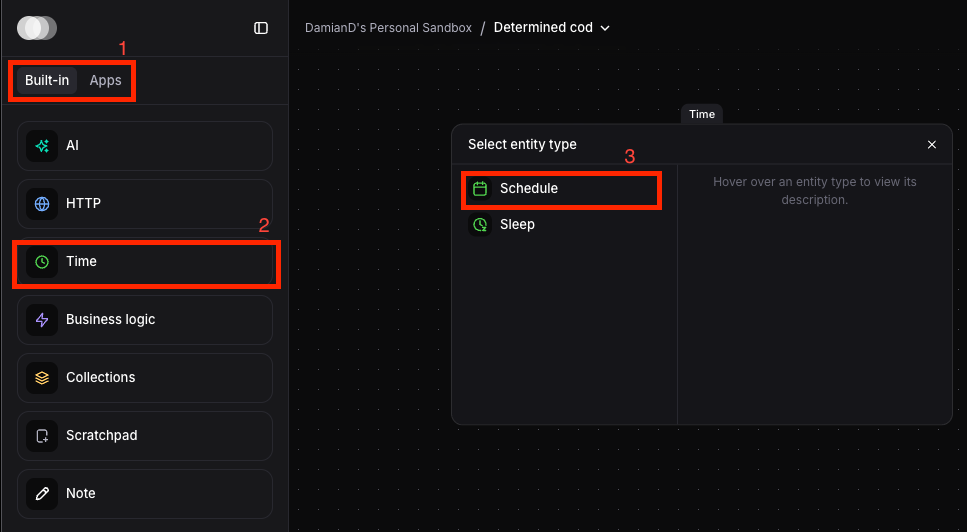
- Choose Built-in blocks or App blocks from left sidebar
- Click the block type you want
- Click specific block variant
Connecting Blocks»
Connect blocks by linking sockets:
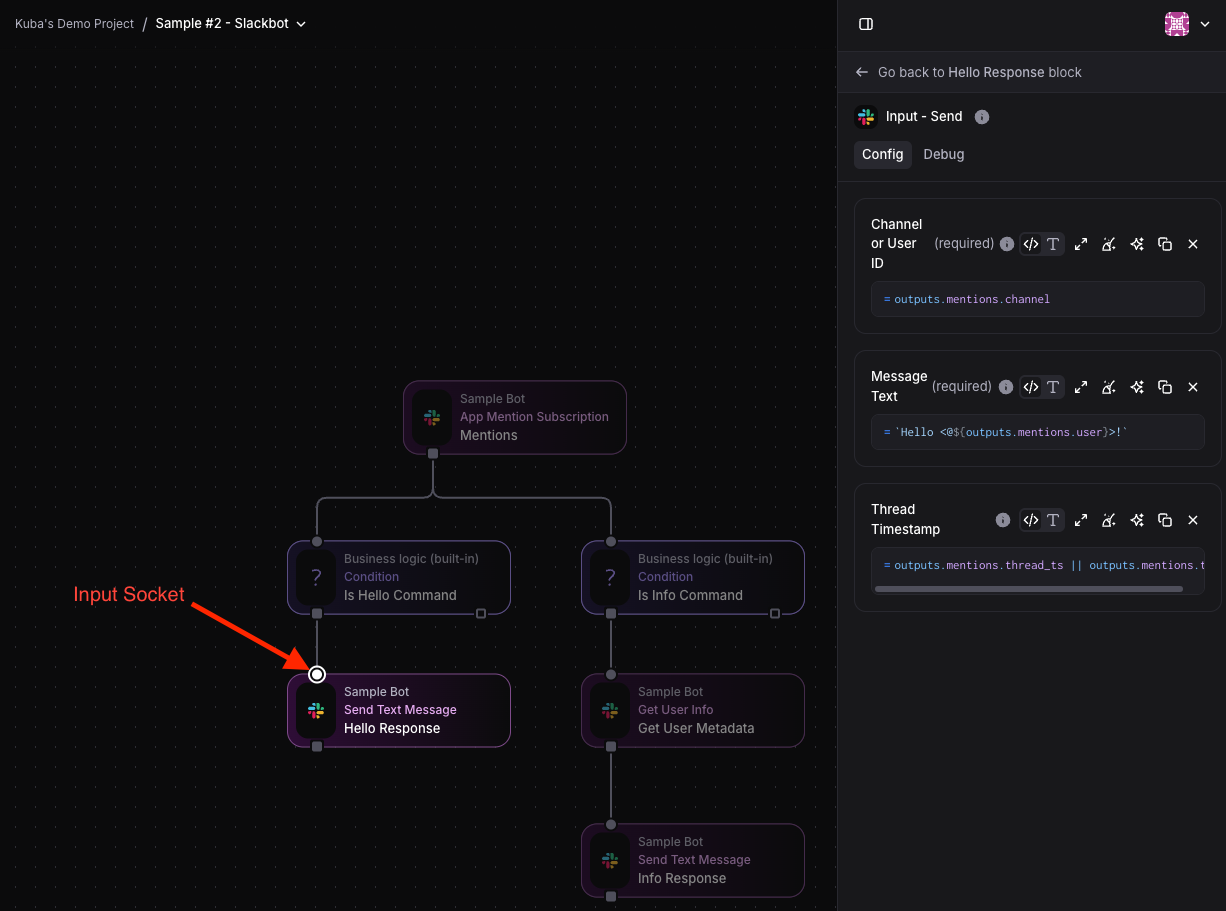
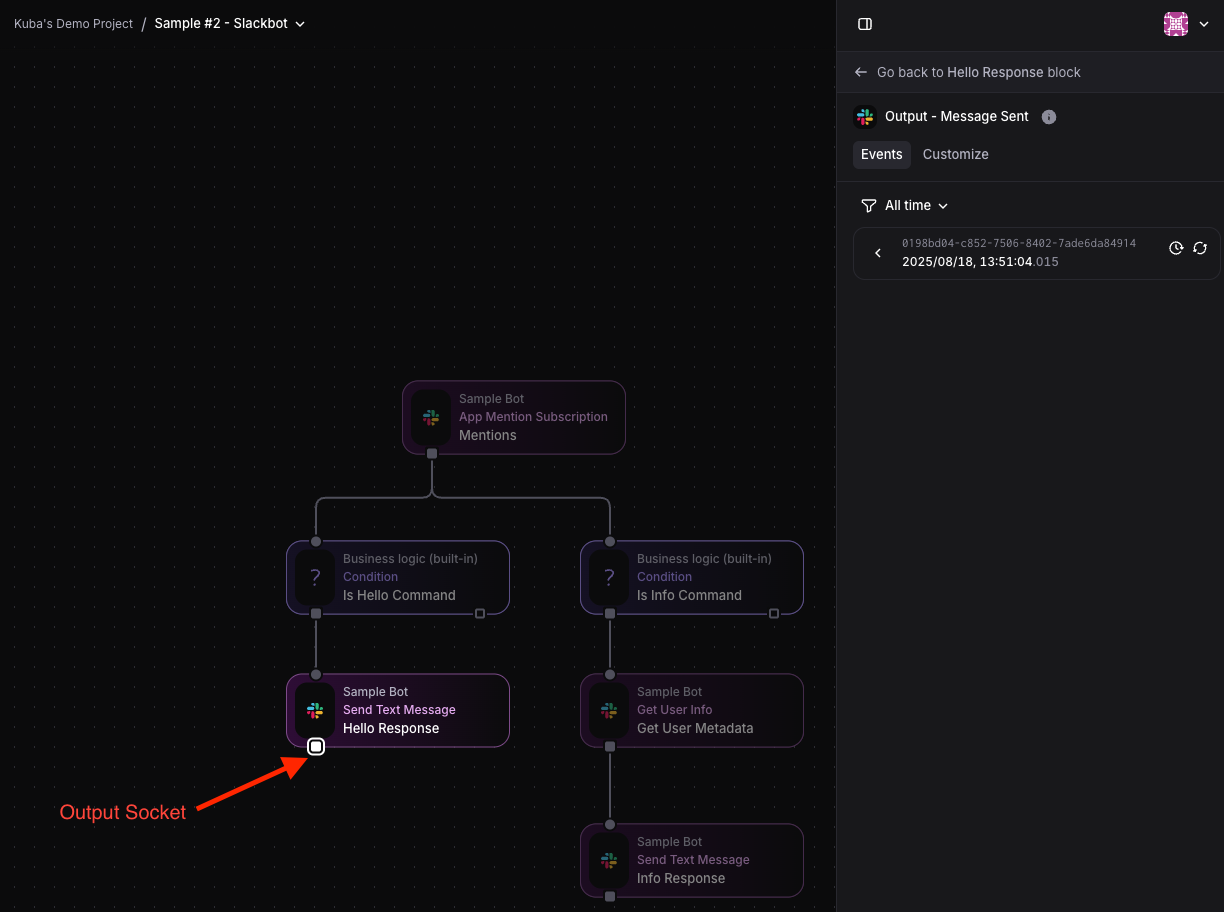
- Drag from output socket (bottom of source block)
- Drop onto input socket (top of destination block)
- One output can connect to multiple inputs (parallel processing)
- Multiple outputs can connect to one input (data merging)
Inputs and Outputs»
Every block has defined input and output sockets:
- Input sockets (top of blocks): Configure input settings or manually send debug events
- Output sockets (bottom of blocks): View outgoing events or customize output data
Input Socket»
Output Socket»
Best Practice: Name blocks before connecting them. Block names become the keys you use to access their outputs in subsequent blocks.
Configuring Blocks»
Blocks may have two configuration types:
Static Configuration:»
- Set at block level
- Evaluated right away, not per-event
- Usually const, but can also reference "signals" from other blocks using
ref()
Dynamic Configuration:»
- Set at input level
- Accesses outputs of previous blocks through
outputsvariable - Evaluated for each incoming event
When you connect blocks, Spacelift shows you the available input schema so you know what data you can access. You also have full auto-complete in the config editors.
Block Types»
Core Blocks»
Built-in functionality: HTTP requests, scheduling, data transformation, business logic.
App Integration Blocks»
From installed apps: complex integrations with external services, authentication, API interactions, low-level protocols.
Block Lifecycles»
Some blocks have lifecycles that manage external resources or configurations. Blocks with lifecycles handle:
- Creation of external resources or configurations
- Updates to those resources when block settings change
- Deletion and cleanup when the block is removed (draining)
- Exposing static outputs via signals that other blocks can reference
Examples of lifecycle blocks:
- AWS S3 Bucket (creates and manages S3 bucket)
- PagerDuty Incident Subscription (manages PagerDuty-side webhook configuration)
Lifecycle Statuses:»
DRAFT: Being configured by the user, no resource created yetIN_PROGRESS: Being created or updatedREADY: Successfully created or updatedFAILED: Creation or update failedDRAINING: Being deleted, cleaning up resources